
What can I claim on tax? Australian guides by occupation
Your occupation is a useful starting point for a tax checklist. What you actually paid for, how you used it and whether your employer reimbursed you decide what belongs in a claim. These guides pair common Australian employee expenses with a practical way to organise the evidence in The Paper Keep.
General information for Australian employees. ATO sources checked 6 September 2026. A registered tax agent can advise on your circumstances; these guides do not determine your entitlement.
Choose a guide for your work
- Teachers and education professionals: classroom purchases, professional learning, mixed shopping receipts and lesson preparation at home.
- Nurses and midwives: equipment, eligible clothing, continuing education and the difference between shift costs and work deductions.
- Building and construction employees: tools, protective gear, licence renewals and records for work travel.
- Office workers: mixed-use technology, professional training and comparing WFH deduction estimates.
Checking a particular purchase? Our WFH expense guides cover electricity, internet, equipment, study fees and private health insurance.
Working for yourself? Start with our sole-trader record-keeping guide. Employee deductions and business expense rules should not be mixed into one occupation checklist.
Start with the expense, then the evidence
The ATO’s employee guidance requires a connection to earning your income, payment from your own funds without reimbursement, and evidence. Private use needs to be excluded. A job title, receipt or allowance by itself does not settle those questions. ATO: office worker expenses.
For each purchase, keep the receipt and a short note answering: what did I use at work, which duties did it support, and did anyone pay me back? Where a claim needs a usage diary, journey records or depreciation calculation, keep those too.
How categories and tags help you prepare
- Collect the original. Upload a photo or PDF, forward receipt emails, or connect a supported inbox. Review the extracted date, total and items against the original.
- Categorise the spending. Create useful categories such as Professional learning or Work equipment. AI parsing can suggest receipt and item categories; check them before using the totals.
- Tag the individual items. Labels such as
cpd,work-use-reviewandreimbursedhelp you find the relevant items later. You choose these labels; they are not automatic tax decisions. - Review the year. The summary shows category and tag breakdowns. Its CSV export includes receipt totals, categories, tags and notes, one row per receipt.
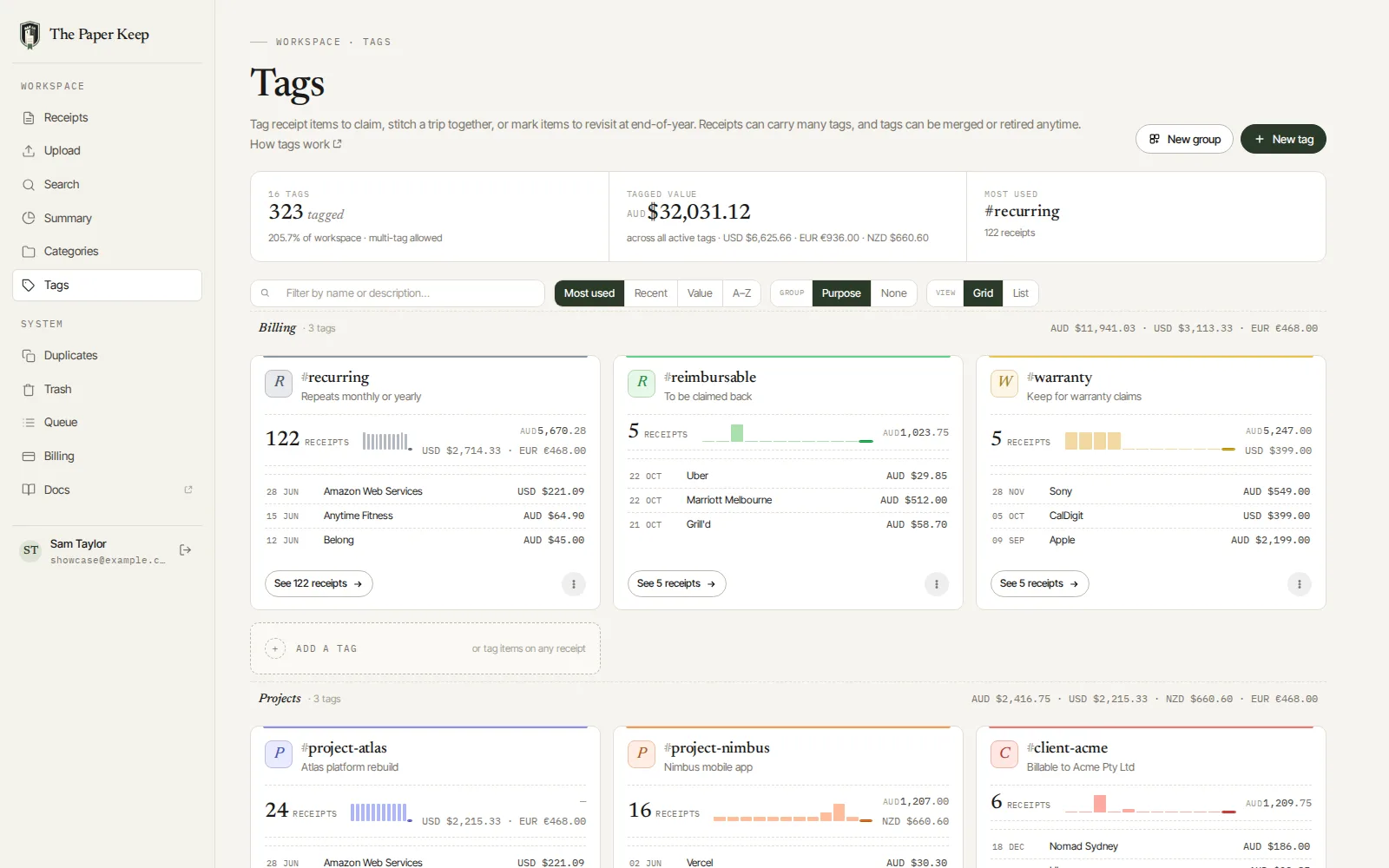
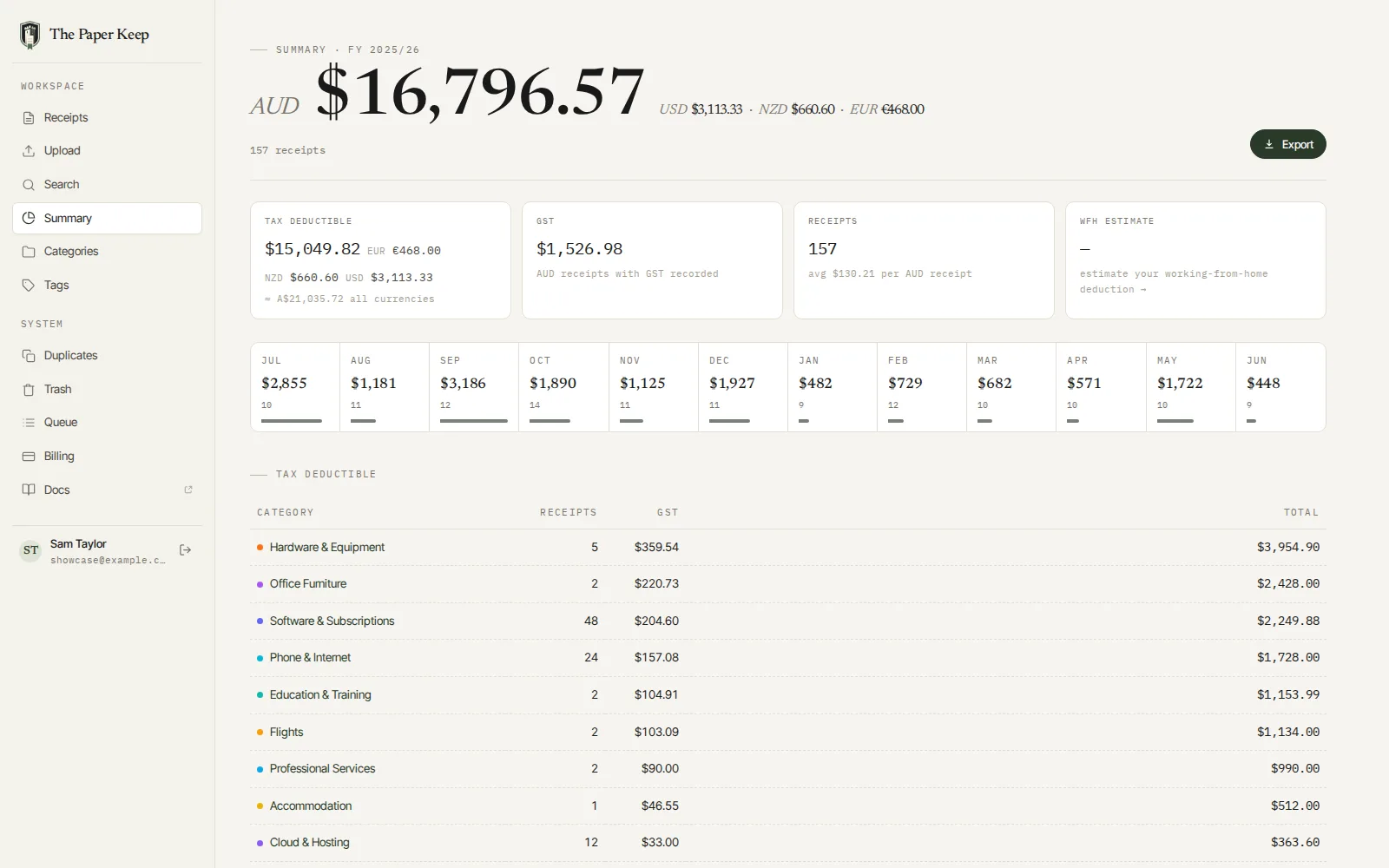
A tag does not change the deductible total. The category-based Tax Deductible figure adds whole receipt totals from categories flagged deductible. Line-item tags help investigate mixed purchases, but do not subtract personal items, reimbursements or private-use percentages from that figure. The CSV also does not export a separate row for each line item. Review those adjustments before using it for a return.
What the estimates mean
The tax-year summary is a view of your recorded spending. AUD equivalents for supported foreign-currency receipts are estimates. The separate Australian WFH estimator compares fixed-rate and actual-cost approaches using your inputs, mapped AUD bills and work assets. None of these figures is an estimate of your tax refund.
For example, a $900 internet bill with a supported 20% work share contributes $180 to an actual-cost calculation. The receipt preserves the $900 purchase; the usage evidence explains the $180. If you use the WFH fixed-rate method, covered phone and internet costs cannot also be added separately. ATO: phone and internet costs.
The app’s hours inputs help model WFH costs; keep your actual hours record separately. The ATO requires actual hours across the year for its fixed-rate method. Check the rate for the year being claimed, and treat later-year projections as provisional until that year’s guidance is confirmed. ATO: fixed-rate method and evidence.
Make next tax time easier, starting this year
At this guide’s September 2026 review, the current Australian financial year is 1 July 2026 to 30 June 2027. Start collecting its receipts now. You do not need to wait until the next July to get organised.
Set up a few categories, capture your next work purchase and add its work-purpose note while you remember it. Once a month, check missing receipts and reimbursement updates. At year end, review the evidence and export the year for yourself or your tax agent. A folder and spreadsheet can do this too; The Paper Keep brings the receipts, labels and summary into one place.
Make next tax time easier.
Keep your originals, organise expenses with categories and item tags, and review the year in one place. Use the WFH estimator when it applies, then export your receipt records for tax-time review.
Start a 14-day free trial. No credit card required.
When you're ready to do this in The Paper Keep, these are the click-by-click pages.